
Support my music
Goodies · Free MIDI effect
KeyFlow
Play in any scale, right from the white keys
Pick a root and a scale, and KeyFlow moves every key you play onto it as you play. Each key plays its own note of the scale, so nothing doubles up the way snap-to-scale modes do.
Features
-
Every note in key
Any root and 14 scales: major and minor, the modes, harmonic and melodic minor, both pentatonics, blues, Phrygian dominant and Hungarian minor.
-
No repeated notes
Snap-to-scale modes push wrong notes onto their neighbours, so two keys play the same note. In KeyFlow every key plays a note of its own.
-
Plays like a keyboard
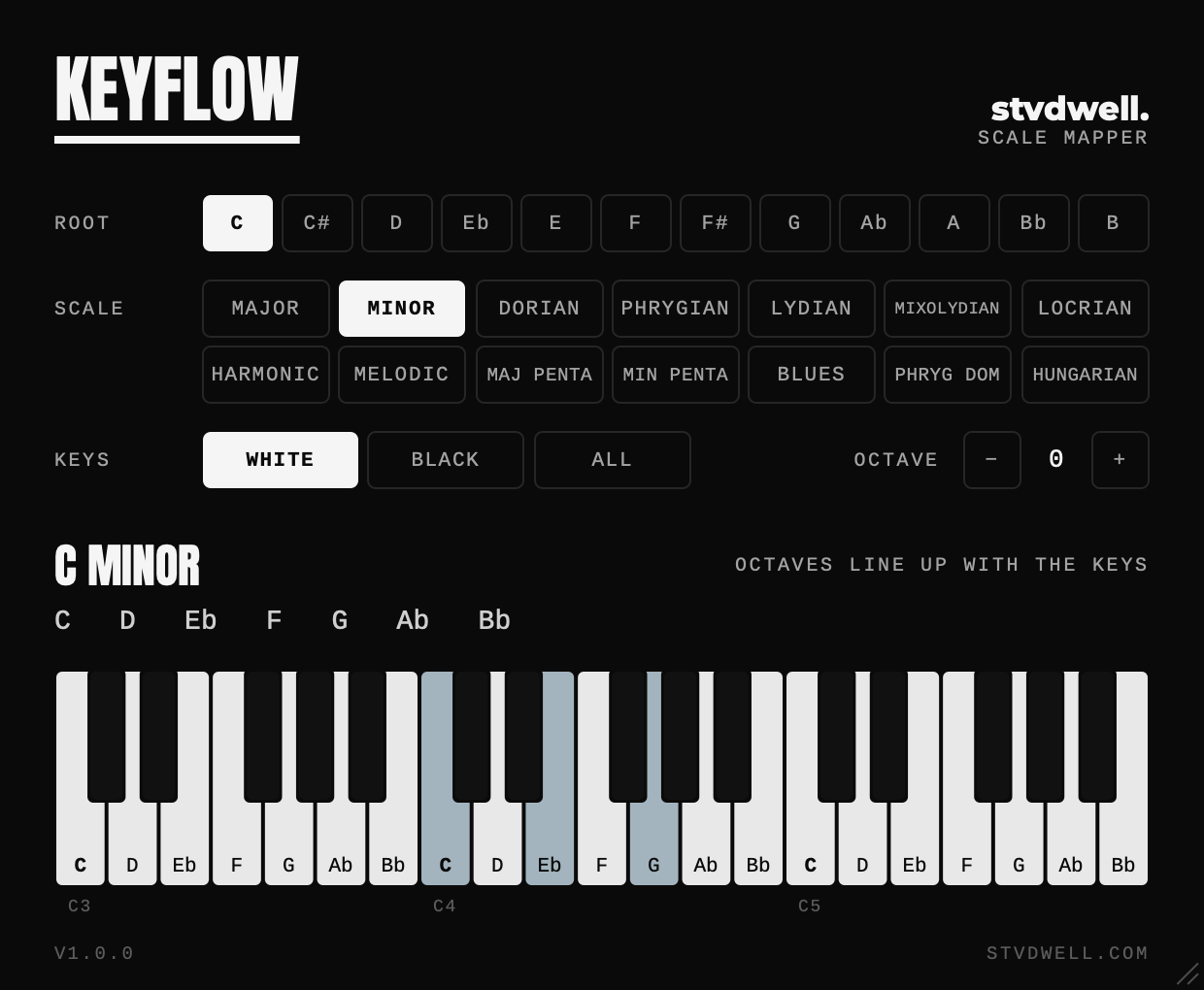
On the white keys every octave of keys is an octave of the scale, with middle C on the root. Chords, velocity, sustain and pitch bend all come through.
Demo
How it works
-
White keys
The 7 white keys of each octave play the 7 notes of the scale, with middle C on the root. The black keys stay silent, so there’s nothing to hit by mistake.
-
Black keys
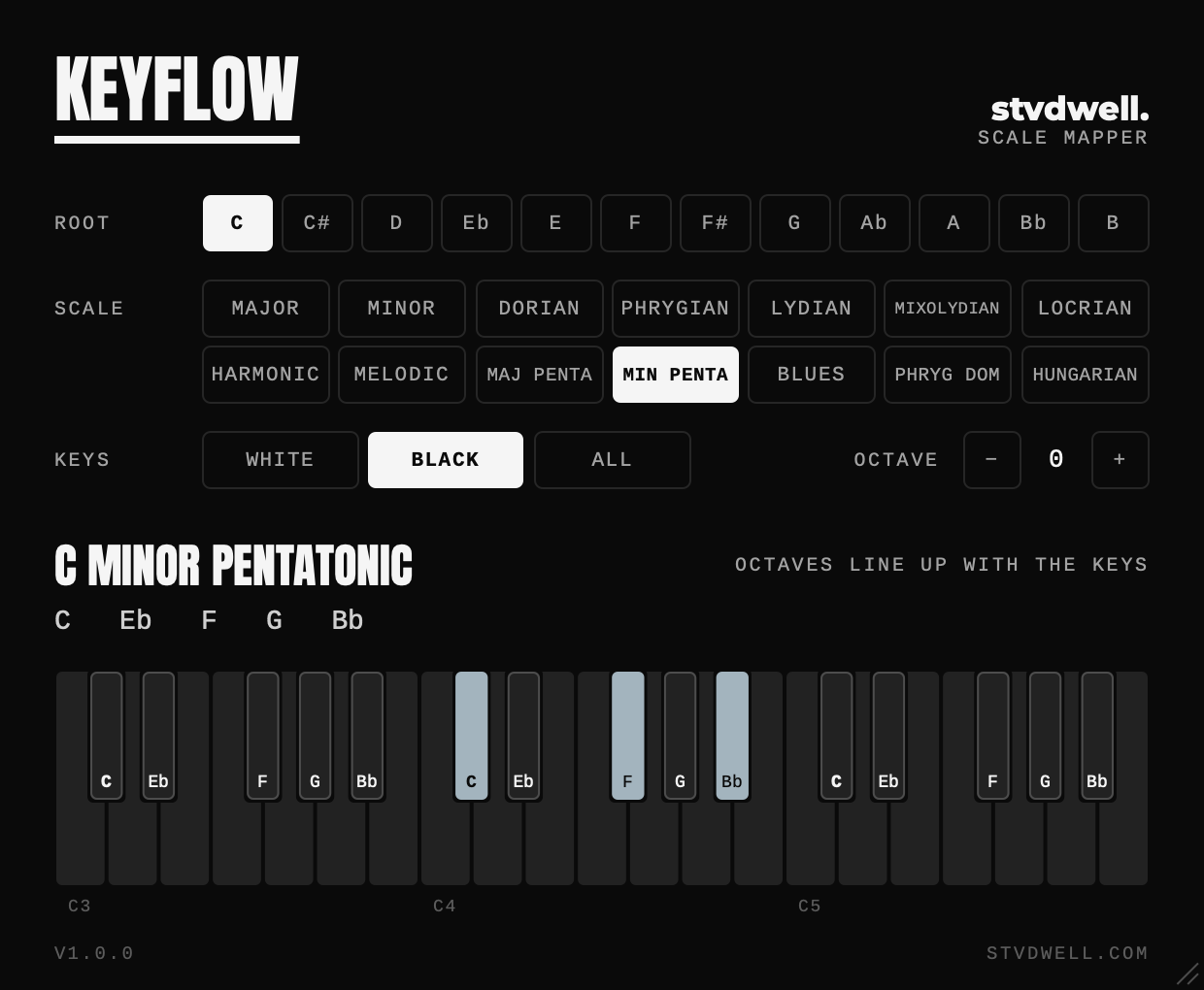
The 5 black keys play a pentatonic scale the same way, with C# on the root.
-
All keys
Every key plays the next note of the scale up. Nothing is silent, though octaves no longer line up with the keyboard.
Specs
Settings
- Root
- Any of the 12 notes
- Scale
- 14 scales
- Keys
- White, black or all
- Octave
- −3 to +3
System requirements
- macOS
- 10.15 or later, Apple silicon or Intel
- Logic Pro
- Audio Unit, in a MIDI FX slot
- FL Studio
- VST3, in the Channel rack
Download & install
- Quit your DAW if it’s running
- Unzip the download and open the macOS folder
-
For Logic Pro, copy
KeyFlow.componentinto your Components folder. For FL Studio, copyKeyFlow.vst3into your VST3 folder. Create a folder if it doesn’t exist: macOS AU/Library/Audio/Plug-Ins/ComponentsmacOS VST3/Library/Audio/Plug-Ins/VST3 - In Logic Pro, click the MIDI FX slot above the instrument on a Software Instrument track and choose Audio Units › stvdwell › KeyFlow.
- In FL Studio, add KeyFlow to the Channel rack and set its MIDI Output port (in the plugin’s settings) to the same number as the MIDI Input port of the instrument it should play.
If KeyFlow doesn’t show up
- If you see a security warning, open System Settings › Privacy & Security and allow KeyFlow, then reopen your DAW.
- If Logic lists KeyFlow as failed or unavailable, open Logic Pro › Settings › Plug-in Manager, select KeyFlow and choose Reset & Rescan Selection.
- In Logic, KeyFlow is a MIDI effect: it’s in the MIDI FX slot of Software Instrument tracks, not with the audio effects.
- In FL Studio, KeyFlow makes no sound of its own. If the instrument stays silent, check that KeyFlow’s MIDI Output port matches the instrument’s MIDI Input port.
More from stvdwell
Free VST3 & AU plugin
PumpFlow
Sidechain ducking without the routing
16 curves you can drag to fit any kick, in time with your tempo, MIDI or the kick itself.