
Support my music
Goodies · Free VST3 & AU plugin
LoFlow
Professional low pass filter plugin for perfect transitions
Simple, efficient, and powerful. Create smooth transitions and creative filter effects with precision control.
Features
-
Complete control
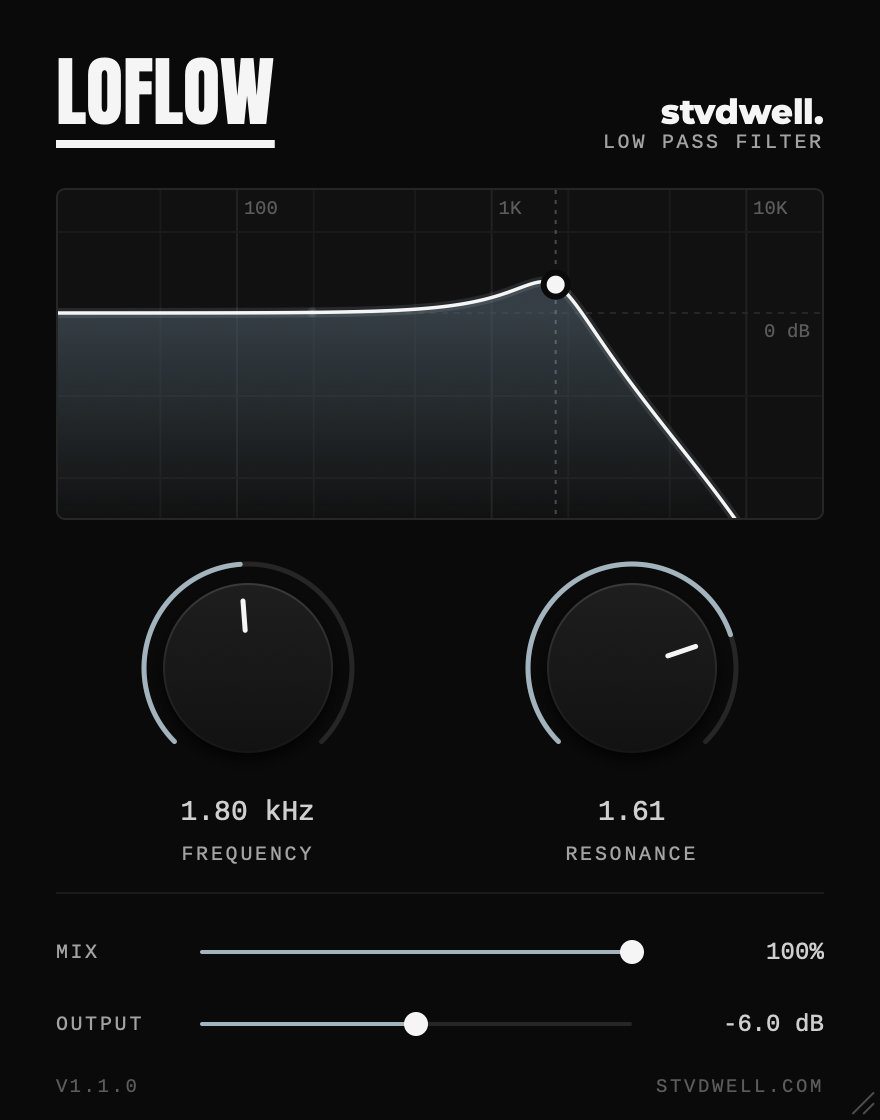
Four essential parameters: frequency cutoff (20 Hz – 20 kHz), resonance control, wet/dry mix, and output level adjustment. Drag the filter curve itself to set frequency and resonance in one move.
-
CPU efficient
Optimized processing for minimal CPU usage in your projects.
-
Zero latency
Real-time processing with no delay for perfect timing.
Demo
Specs
Parameters
- Frequency
- 20 Hz – 20 kHz
- Resonance
- Q 0.5 – 5
- Mix
- 0 – 100%
- Output
- −∞ to 0 dB
System requirements
- Windows
- 10 or later
- macOS
- 10.15 or later, Apple silicon or Intel
- Host
- Any DAW that loads VST3 or AU plugins
- Memory
- 4 GB RAM recommended
Download & install
- Close your DAW if it’s running
- Unzip the download and open the Windows or macOS folder
-
Copy
LoFlow.vst3into your VST3 folder, and on a MacLoFlow.componentinto your Components folder too (Logic Pro and GarageBand use it). Create a folder if it doesn’t exist: WindowsC:\Program Files\Common Files\VST3macOS/Library/Audio/Plug-Ins/VST3macOS AU/Library/Audio/Plug-Ins/Components - Open your DAW. LoFlow appears after its plugin scan; rescan if it doesn’t.
If LoFlow doesn’t show up
- On a Mac, if you see a security warning, open System Settings › Privacy & Security and allow the plugin.
- Check that your DAW supports VST3 (or AU, on a Mac) and looks in the folders above. LoFlow is known to work in Ableton Live 10+, FL Studio 20+ and Studio One 5+.
More from stvdwell
Free VST3 & AU plugin
PumpFlow
Sidechain ducking without the routing
16 curves you can drag to fit any kick, in time with your tempo, MIDI or the kick itself.